
Image analysis for a closer look
Every image.
More context.
Match photographs with RAW sources. Inspect detail and metadata. Turn your observations into structured reports with Image DNA for Mac.
Free download · Optional one-time Pro upgrade
macOS 14.6+ · Intel & Apple Silicon
- Smart RAW Matching
- Metadata & EXIF
- Side-by-side review
- PDF reports with Pro
See the workflow
in action.
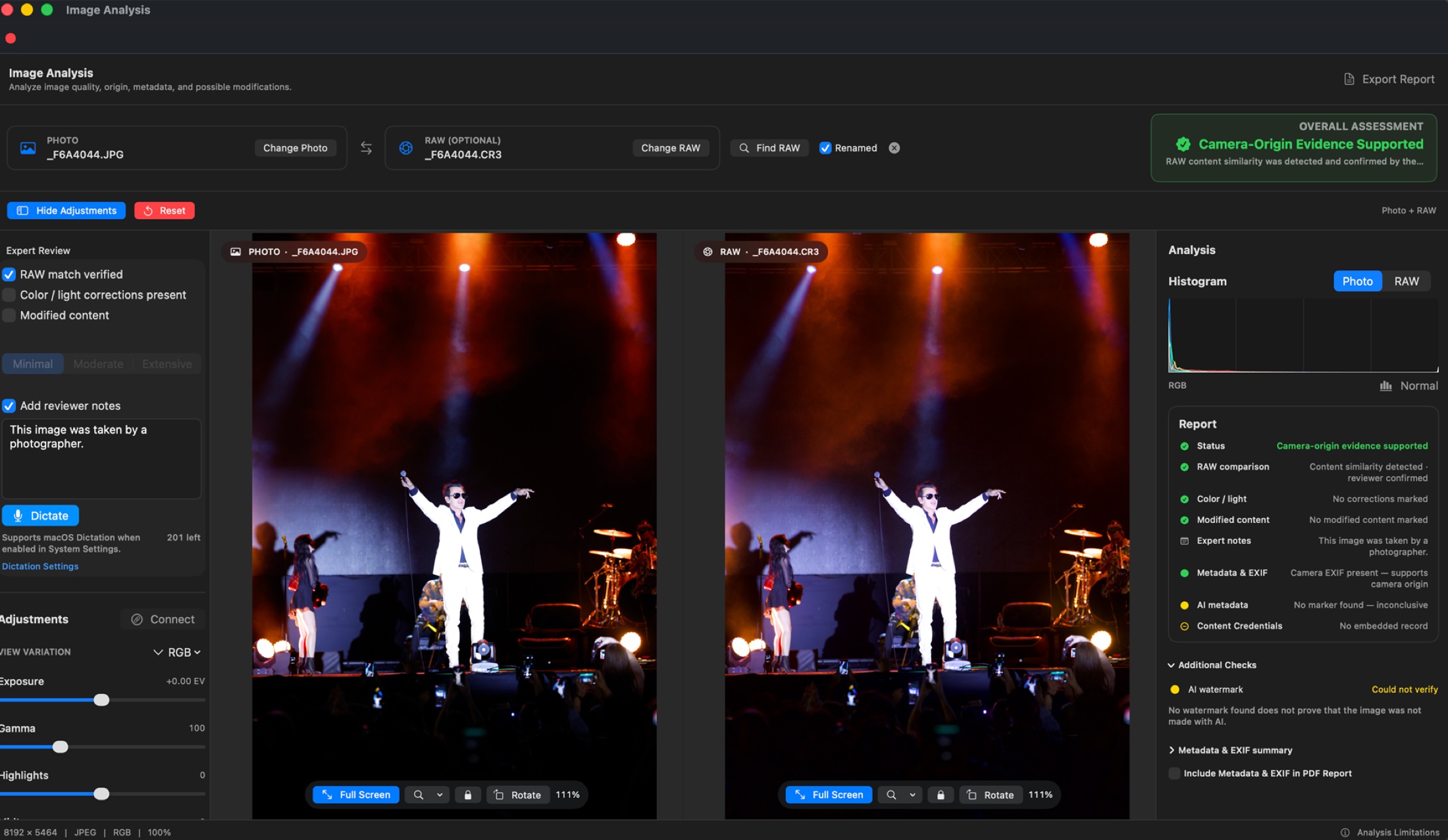
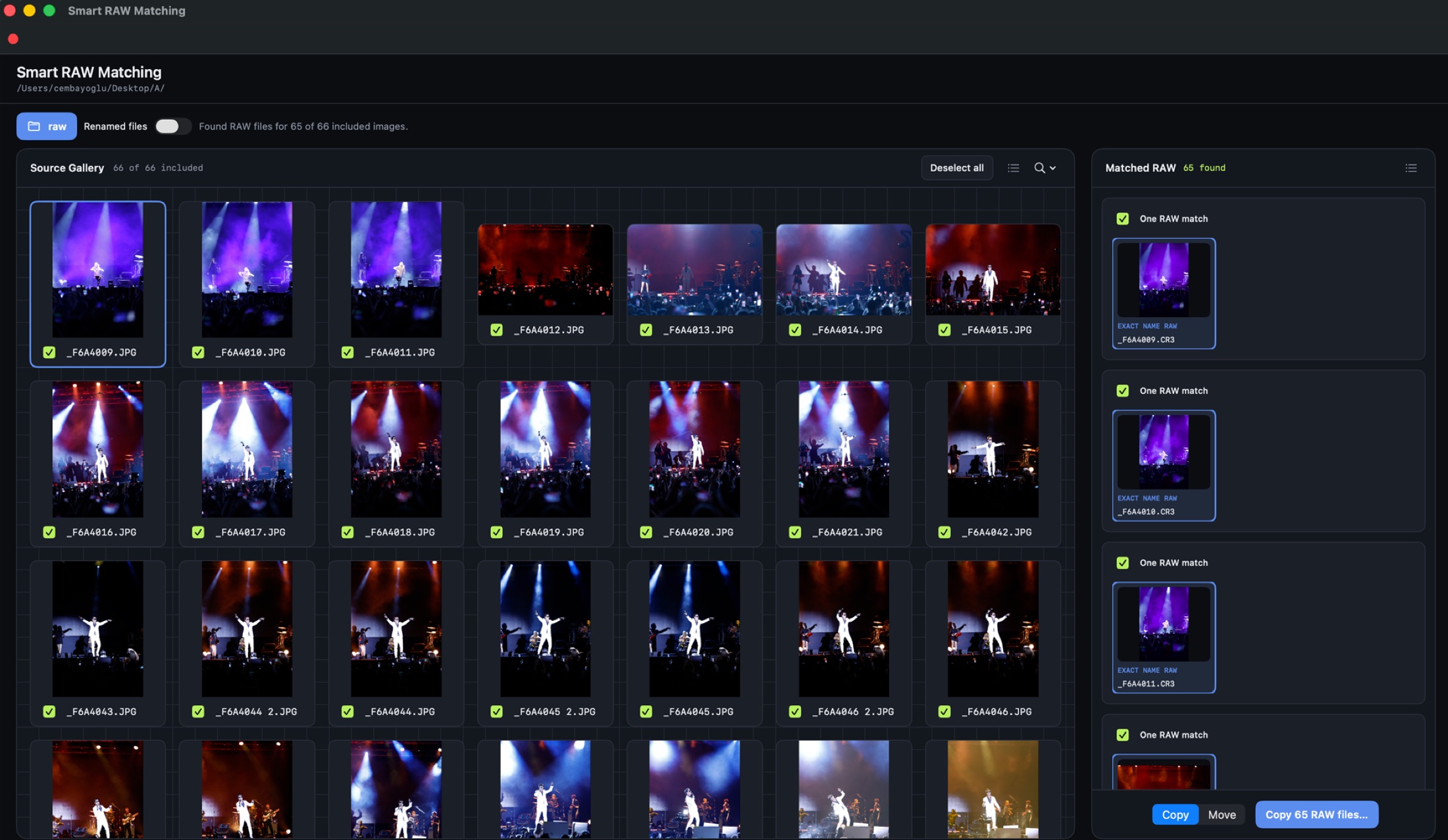
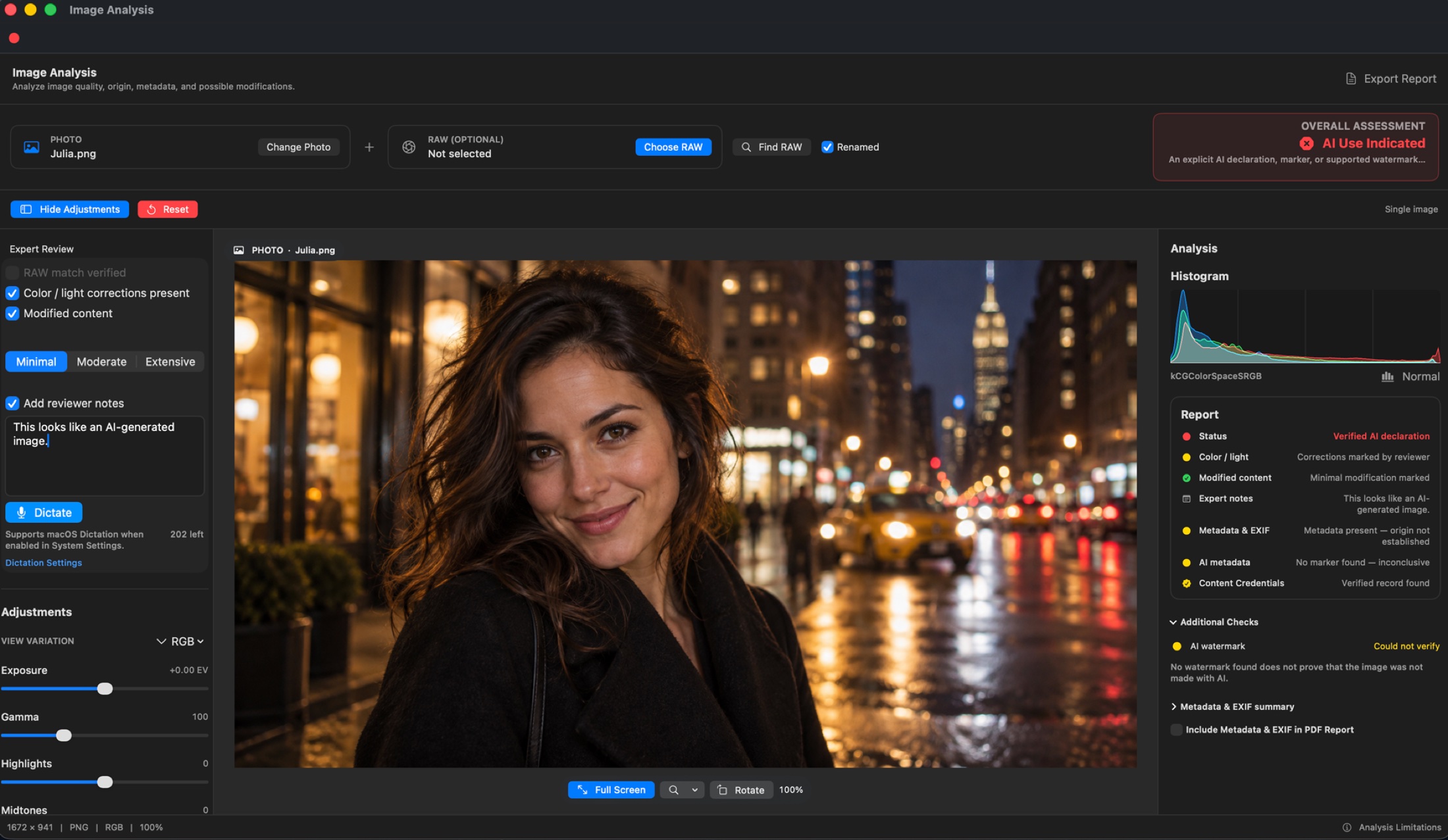
Inspect source matches and review image details in the real Image DNA interface.
From source file
to informed review.
For photographers, editors, journalists, researchers, archivists and content teams who need to understand the files behind an image.
Smart RAW Matching
Select a gallery and a RAW folder to start searching automatically. Explore exact filename matches and renamed alternatives separately, compare previews, and copy selected RAW files with visible progress. Matching can help locate sources after cropping, resizing or export where content similarity is supported. A matching filename alone is not verified content equivalence.
Image Analysis
Inspect a rendered image, a RAW file or both side by side. Use synchronized or independent zoom and pan, rotation, full-screen inspection and zoom up to 5000%. Profile-aware histograms and exposure, tonal, clarity and saturation adjustments support a closer visual review.
Metadata & EXIF
Review available camera, lens, exposure, capture time, copyright, color profile, XMP, IPTC and GPS information in organized groups. Metadata adds context, but may be missing, copied or altered.
Supporting inspection views
Explore noise, edges, detail, compression, color channels and frequency information where available. These views support human inspection; they do not automatically prove manipulation or AI generation.
Expert review & PDF reports
Record RAW verification, lighting corrections, content changes, severity and reviewer notes. With Pro, export a structured PDF containing the assessment, supporting findings, image preview and optional Metadata & EXIF appendix.
Evidence with
its limits in view.
Review origin indicators, AI-related metadata, Content Credentials/C2PA and supported watermark checks. Verified records, untrusted signers, failed verification, missing records and incomplete checks remain distinct. Unavailable tools are identified clearly.
“No marker found” is not “AI was not used.”
Camera metadata, RAW references and automated checks provide different kinds of evidence. Image DNA brings them together with your observations. The result is an evidence-based assessment, not a guarantee of authenticity.
A local-first
inspection workflow.
Selected images are processed locally by default. Standard analysis does not require uploading photographs to a developer-operated server. You choose the files and folders to inspect; viewing adjustments do not overwrite the originals. Separate RAW copy and move actions remain under your control.
Start free.
Report with Pro.
Image DNA · Free
Smart RAW Matching
Metadata and EXIF inspection
Basic image-analysis workspace
RAW/reference comparison
Core visual inspection tools
Image DNA Pro · One-time purchase
Professional PDF report export
Detailed Metadata & EXIF appendix
Structured professional reporting
No subscription. Purchase and restoration are handled by Apple. The current price is shown in the app.
Choose. Compare.
Document.
Choose your files
Open an image or select a gallery and RAW folder.
Review the evidence
Compare sources, inspect detail and read available metadata.
Record your findings
Add observations and use Pro to export your PDF report.
Questions,
answered.
Can Image DNA prove that a photograph is real?
No. It brings together supporting evidence and reviewer observations. Its assessment is not an absolute declaration of authenticity or a legal certification.
Does missing metadata mean an image was created with AI?
No. Metadata can be removed, copied or modified. Missing metadata, editing-software tags and the absence of a RAW file are not proof of AI use.
Does a RAW match prove that the final photograph was not edited?
No. Compare the rendered image with its source and review any changes. A filename match alone does not verify content equivalence.
Are my photographs uploaded?
Selected images are processed locally by default. Standard analysis does not require uploading photographs to a CB Project server.
Does Image DNA overwrite my files?
Inspection adjustments do not overwrite original files. RAW management offers separate copy and move actions; copying is the default.
Is Pro a subscription?
No. Image DNA Pro is an optional one-time purchase for professional PDF reporting.
How do I restore Pro or use it on another Mac?
Use the Apple Account used for the purchase, open the Pro purchase screen and choose Restore Purchases on your compatible Mac. No serial number or separate licensing account is required.
Which RAW formats are supported?
Compatibility depends on the RAW format, camera model and macOS support. Try a file from your camera; not every RAW variant is supported.
What happens when a check is unavailable?
It is shown as unavailable. No invented result or random AI confidence score is substituted. A missing watermark does not rule out AI use.