CB Portrait Panel.
Your portrait. Your finish.
A focused retouching workflow inside Photoshop. Refine skin, balance its tone, and build a distinctive look — with control over every step.
Explore the workflowComing soon. Purchase and download will be available here when the release is ready.
From clean skin to a finished look.
Start with the skin. Build the color. Finish with your creative direction.
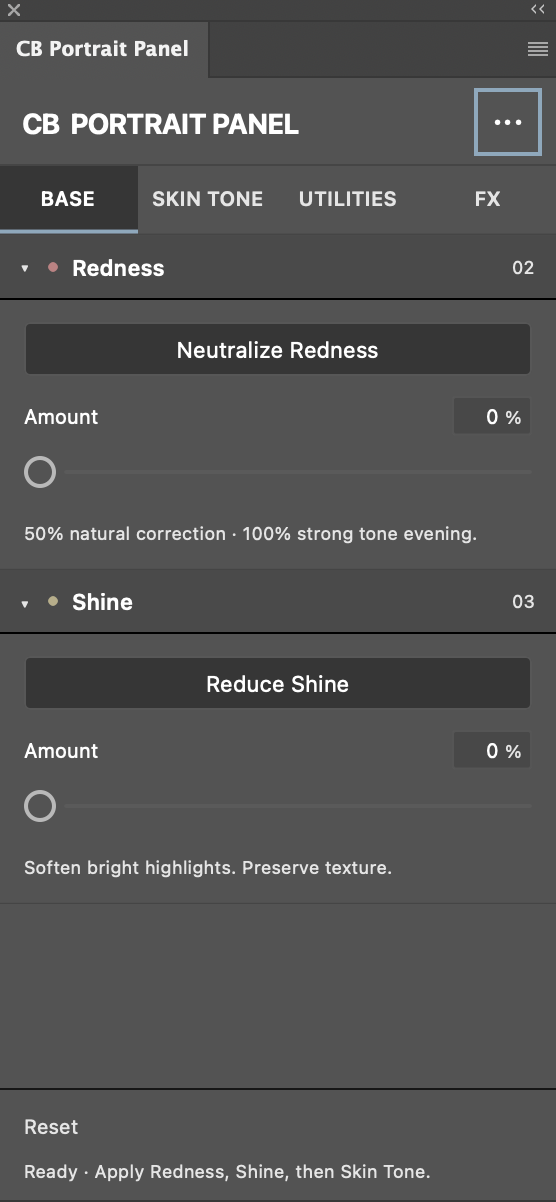
Refine the foundation.
Reduce unwanted redness and shine with separate intensity controls. Keep the adjustments organized in their own layers.
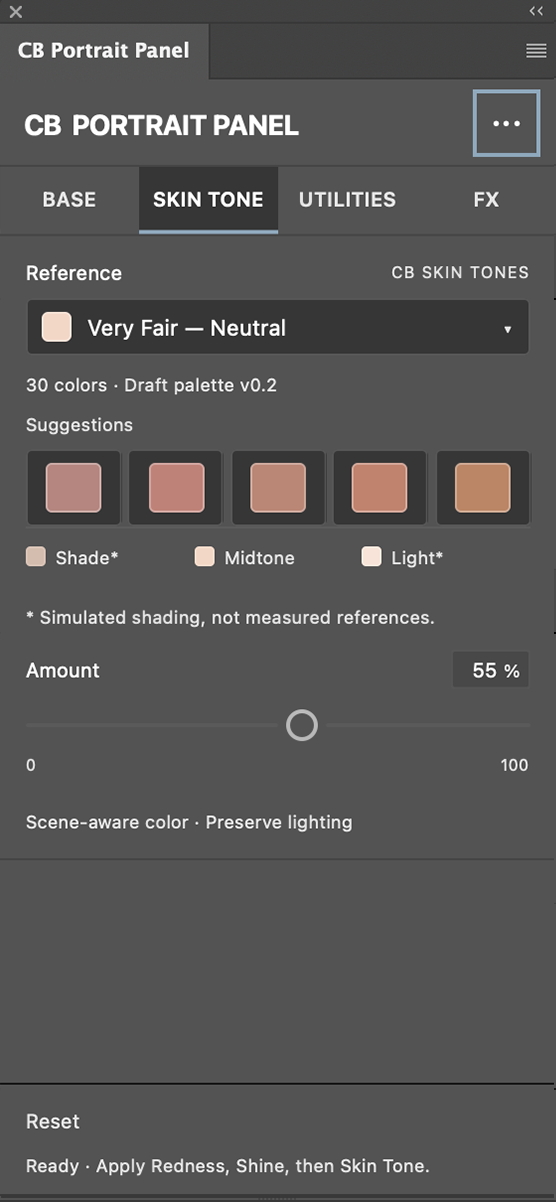
Find a tone that fits.
Explore 30 reference tones and suggestions informed by the photograph. Choose the result that supports your lighting and creative intent.
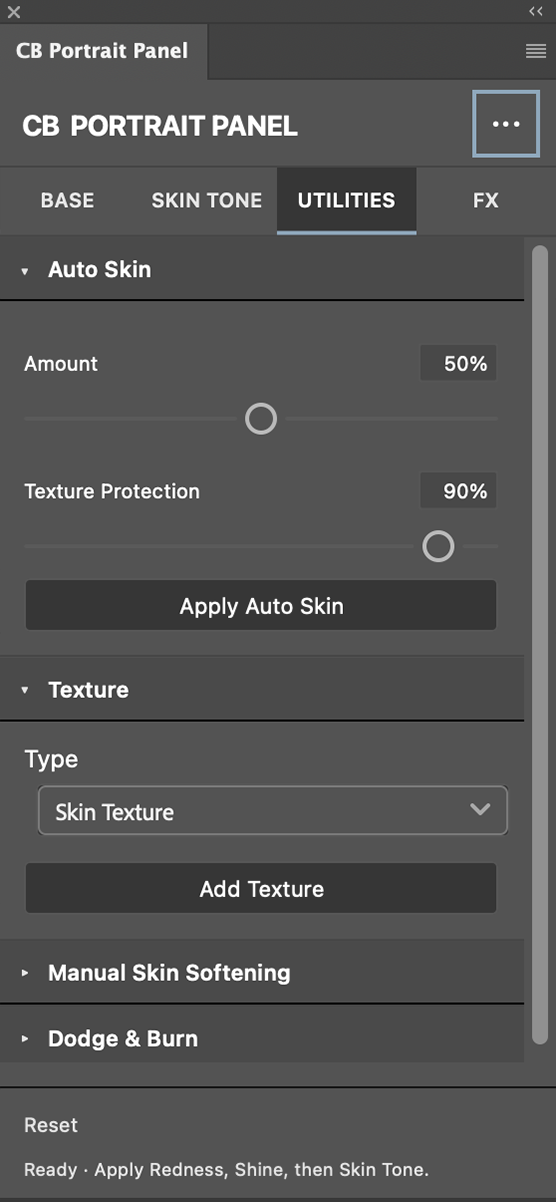
Shape the details.
Use Auto Skin, Manual Skin Softening, Skin Texture, Film Grain, and Dodge & Burn to refine the finish.
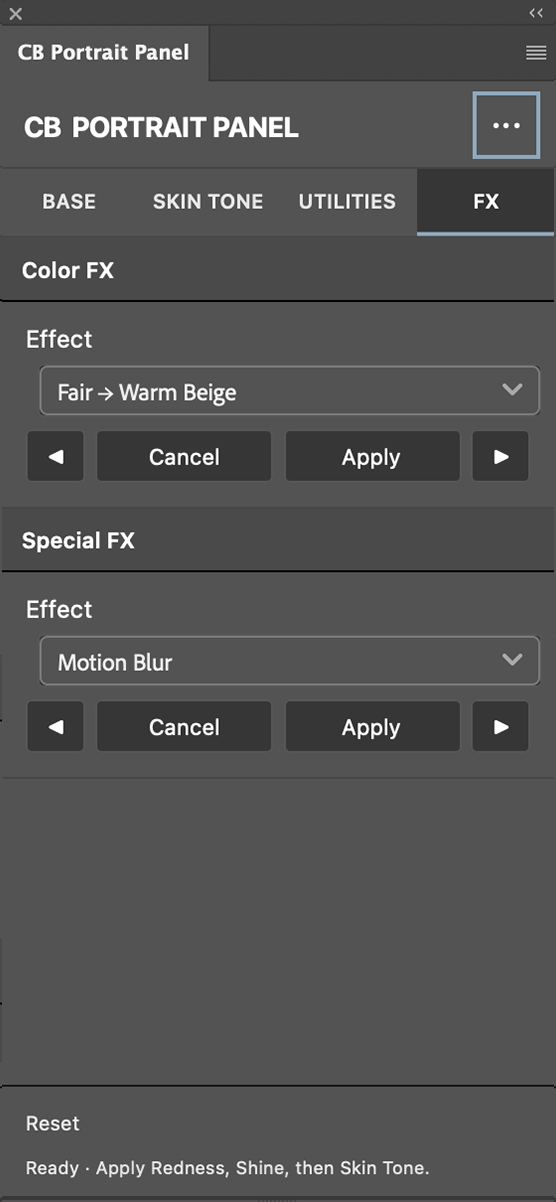
Make it your own.
Browse color and special effects, preview a look, then apply or cancel. Commit an effect before adding another.
Stay in Photoshop. Stay in control.
Select the skin.
Begin with Auto Skin Selection, then inspect the result before continuing. Skin-focused tools use your approved selection.
Keep your layers clear.
BASE, SKIN TONE, UTILITIES, and FX have dedicated layer groups. Use Photoshop’s layer visibility to compare your changes.
Follow your creative eye.
Skin tone references are creative starting points. Choose a restrained correction or explore a different finish for your portrait.
Questions, answered.
Does it work inside Photoshop?
Yes. CB Portrait Panel is a Photoshop plugin. Photoshop is required and is not included.
Can I adjust the result?
Yes. Use the panel’s controls and the generated Photoshop layers to refine your result and compare changes.
When can I purchase it?
The release is being prepared. Final pricing, system requirements, and purchase details will appear on this page before launch.